WordPressの記事を一括PDF化
 TSUJI Mitsutaka
ソースを限定して活用できるNotebook LMが便利ですね。
ガイドラインや法文などのPDFをソースとして読み込ませて活用していますが、HPだと一括でソースとして活用できないのが不便です。
そこで、Wordpress(管理者限定)の記事を一括でPDF化するPythonを作成しました。
と言っても自力でコードを書いたわけではなく、Geminiを使って調整しながら書いてもらいました。
事前準備
WordPressの管理画面から「ツール」→「エクスポート」を使用しXMLファイルとして書き出します。
このままだと、テキストは確認できますが、画像はリンク先だったり余計なヘッダーやフッターなどの「ノイズ」が文字として読み取られてしまい、AIが混乱する原因になります。
Pythonコードの作成
下記のコードテキストエディタなどに貼り付けて、 「convert.py」という名前で保存します。
Pythonコード-----------下記をコピーしてテキストエディタに貼り付け
import xml.etree.ElementTree as ET
import os
# --- SETTINGS ---
# Change this to your actual file name
xml_file = 'WordPress.xml'
output_file = 'archive_catalog.html'
def run():
print("--- STARTING PROCESS ---")
# Check if file exists
if not os.path.exists(xml_file):
print(f"ERROR: '{xml_file}' not found in this folder.")
return
try:
print(f"Parsing: {xml_file}")
tree = ET.parse(xml_file)
root = tree.getroot()
# WordPress XML Namespaces
ns = {
'content': 'http://purl.org/rss/1.0/modules/content/',
'wp': 'http://wordpress.org/export/1.2/'
}
# HTML Header (CSS included)
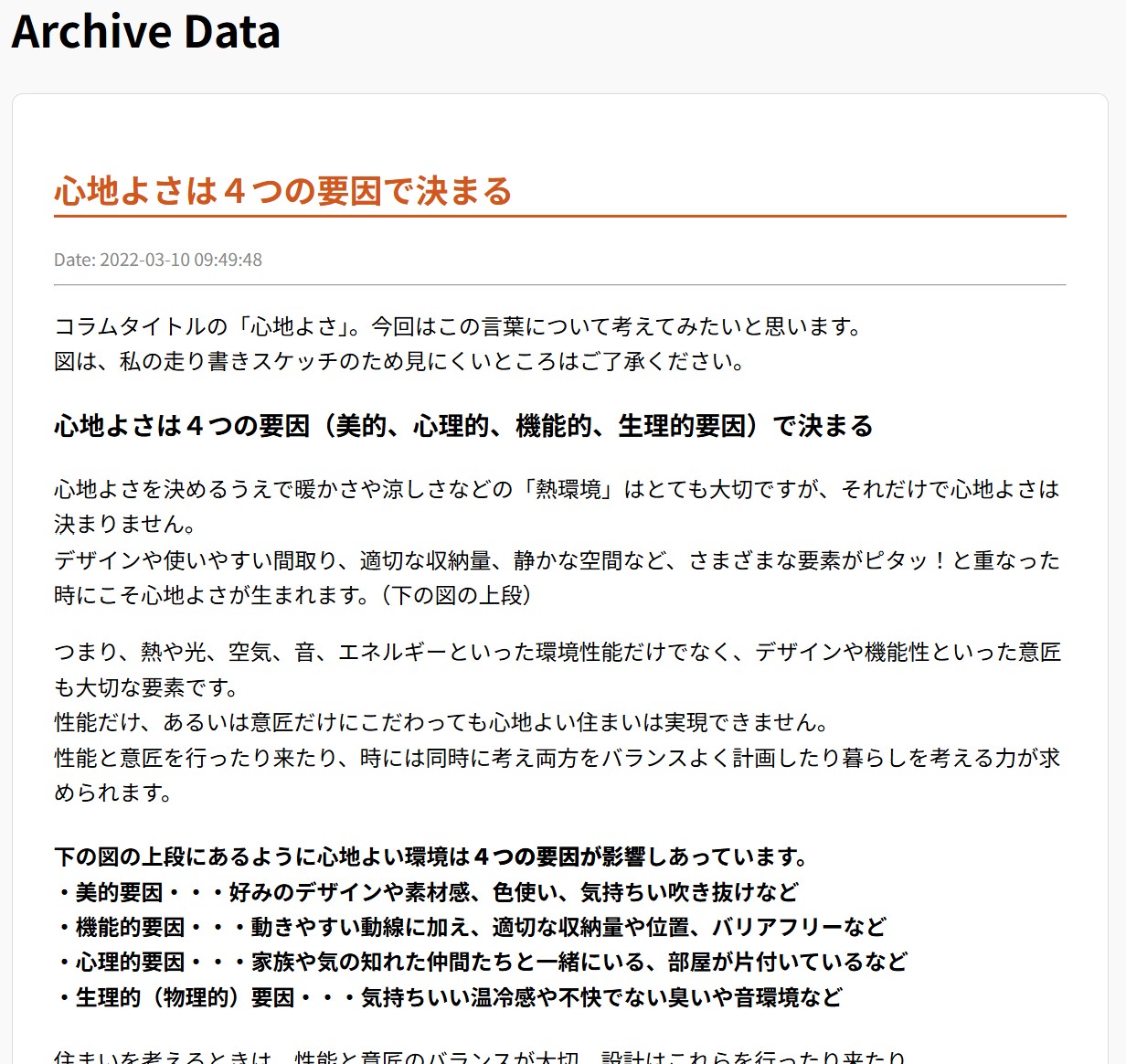
html_data = '<html><head><meta charset="UTF-8"><style>'
html_data += 'body{font-family:sans-serif;max-width:800px;margin:20px auto;line-height:1.6;background:#f9f9f9;}'
html_data += 'article{background:white;padding:30px;margin-bottom:20px;border:1px solid #ddd;border-radius:8px;}'
html_data += 'h2{color:#d35400;border-bottom:2px solid #d35400;}'
html_data += 'img{max-width:100%;height:auto;display:block;margin:20px auto;}'
html_data += '.date{color:#888;font-size:0.8em;}'
html_data += '</style></head><body><h1>Archive Data</h1>'
count = 0
for item in root.findall('.//item'):
p_type_tag = item.find('wp:post_type', ns)
if p_type_tag is not None and p_type_tag.text in ['post', 'academy-archives']:
title = item.find('title').text or "Untitled"
date = item.find('wp:post_date', ns).text if item.find('wp:post_date', ns) is not None else ""
content_tag = item.find('content:encoded', ns)
content = content_tag.text if content_tag is not None else ""
# Append to HTML string
html_data += f"<article><h2>{title}</h2><div class='date'>Date: {date}</div><hr>{content}</article>"
count += 1
html_data += "</body></html>"
# Save file with UTF-8
with open(output_file, 'w', encoding='utf-8') as f:
f.write(html_data)
print(f"SUCCESS: {count} posts saved to '{output_file}'!")
except Exception as e:
print(f"SYSTEM ERROR: {e}")
if __name__ == "__main__":
run()
print("--- PROCESS FINISHED ---")
input("Press Enter to close this window...")
---------------------ここまで
実行方法
1.PCにPythonが入っていればOK(追加ライブラリのインストールは不要)。
2.「convert.py」の6行目の WordPress.xml を、Wordpressでエクスポートしたファイル名に書き換えてください。
3.「convert.py」とエクスポートした XMLファイルを同じフォルダに入れる。
4.convert.pyのダブルクリックで実行する。
上記でうまく実行できない場合、フォルダの上の「アドレスバー」をクリックして、cmd と入力してEnterを押すと、その場所でコマンドプロンプトが開くので、py convert.py と入力し実行する。
5.同じフォルダに archive_catalog.html が出来上がります。
6.PDFにプリントアウトすれば完成
本HPのエコ・コラムを一括HTMLしたのが下の画像